
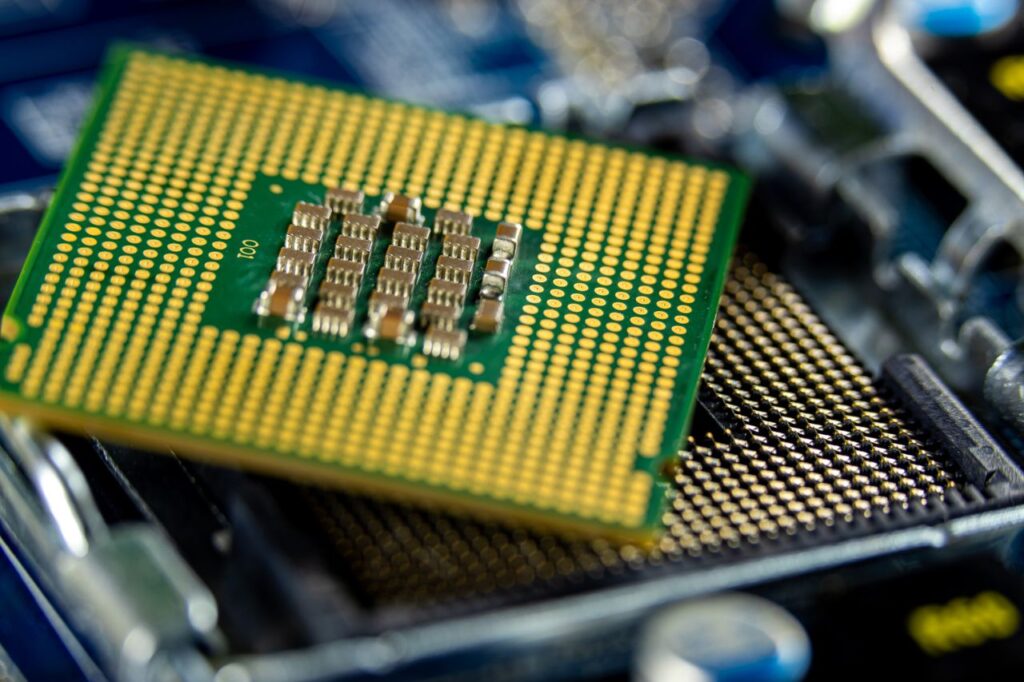
The CPU: The Engine of Your Computer
The central processing unit (CPU), or processor, is one of the most important components in a computer. The processor is responsible for executing instructions and coordinating the operations that allow a computer to perform tasks. As computers have become more powerful, processors have also grown in complexity.
Processors work through a basic cycle of fetching, decoding, and executing instructions. The processor fetches instructions and the data needed to carry them out from memory. It then decodes the instructions to determine what needs to be done before executing the required operations. This process happens continuously, allowing software and hardware to work together.
Processors can contain a single core or multiple cores. Single-core, dual-core, quad-core, and multi-core processors describe the number of processing cores contained within a processor. More cores can allow a processor to handle multiple tasks simultaneously, although the number of cores alone does not determine overall performance.
Choosing a CPU: What Matters
All processors aren’t created equal. Identifying the use case for a computer is the first step toward selecting the right processor. Basic office work, such as web browsing, email, and document creation, can take advantage of entry-level processors. Gamers can benefit from mid-range processors that provide enough processing power to keep up with modern games and graphics cards. Developers and content creators may benefit from higher-end processors when working with video editing, streaming, rendering, virtualization, and other demanding workloads.
It’s also important to check compatibility before making a purchase. When building a custom computer, the processor must be compatible with the socket and chipset on the motherboard. The processor also needs an appropriate cooling solution and power supply. Higher-performance processors can generate more heat and consume more power, making proper cooling and power delivery increasingly important.
CPU Performance: Real-World Use
Entry-Level: Intel Core i3 | AMD Ryzen 3
Cores: Approximately 4–6 cores, depending on the model and generation
Clock Speed: Approximately 2.5–4 GHz, with boost speeds reaching around 5 GHz on some modern models
Best for: Everyday computing, school, work, streaming, and light gaming
What to expect: A modern entry-level CPU can handle most everyday tasks without issue. Its limitations become more noticeable when running demanding editing programs, rendering applications, modern games, or multiple intensive tasks at the same time.
Mid-Range: Intel Core i5 | AMD Ryzen 5
Cores: Approximately 6–14+ cores, depending on the model and generation
Clock Speed: Approximately 3–4 GHz, with boost speeds reaching around 5.5 GHz on some modern models
Best for: Gaming, programming, content creation, and multitasking
What to expect: For many computer users, the mid-range is the sweet spot. It provides enough processing power for demanding everyday use without necessarily requiring the more expensive cooling and power solutions associated with higher-end processors.
High-End: Intel Core i7/i9 | AMD Ryzen 7/9
Cores: Approximately 8–24+ cores, depending on the model and generation
Clock Speed: Approximately 2.5–4.5 GHz, with boost speeds reaching around 6 GHz on some modern models
Best for: High-end gaming, rendering, video production, software development, virtualization, and other demanding workloads
What to expect: High-end CPUs are designed for workloads that can take advantage of additional processing power. Considering the significant increase in price, the workload should be demanding enough to justify the additional performance. For everyday computing, the additional cost may provide little practical benefit.
Choosing Performance Over Numbers
CPU specifications can make choosing a processor seem more complicated than it needs to be. Cores, clock speed, architecture, compatibility, power consumption, and cooling all contribute to overall performance.
The most important question isn’t “What is the fastest CPU?” It’s “What does this computer need to do?”
An entry-level processor may be more than enough for someone who primarily browses the web, writes documents, and watches videos. A gamer or developer may benefit from the additional performance of a mid-range processor, while a content creator or professional working with demanding applications may be able to justify a high-end chip.
Understanding the relationship between the processor and the work it needs to perform makes it easier to choose hardware based on purpose rather than numbers. The best CPU isn’t necessarily the most powerful one available. It’s the one that provides the performance you need without paying for performance you won’t use.